

Optimal protection for mining hardware: Sustainability for your home
TL;DR:
- Overheating, noise, and dust pose the biggest risks for home mining hardware.
- Upgrades like quiet Noctua fans and dust filters improve protection and lifespan.
- Regular maintenance and decentralization ensure sustainable, independent mining operations for home use.
The quiet hum of a miner in the study sounds like passive income. But anyone who has experienced an overheated chip causing sleepless nights or a faulty fan shutting down the hardware knows: protective measures are not a luxury, but a necessity. Especially in a home environment, where dust, fluctuating temperatures, and cramped conditions are common, mining hardware requires specific care. This guide shows you which risks truly matter, which upgrades are worthwhile, and how to operate your solo miner quietly, coolly, and reliably in the long term.
Table of Contents
- The Problem: Typical Risks for Mining Hardware in Home Operation
- The Right Tools and Upgrades: Preparation is Key
- Step-by-Step: How to Sustainably Protect Mining Hardware
- Follow-up & Sustainable Operation: How to Keep Your Hardware Fit
- Our Experience: Why True Hardware Protection is More Than Dust and Fans
- Solutions and Upgrades for Your Sustainable Hardware Protection
- Frequently Asked Questions
Key Takeaways
| Point | Details |
|---|---|
| Effectively reduce noise | Noctua fans significantly lower noise levels, enabling relaxed solo mining at home. |
| Prevent overheating | Regular maintenance and optimized cooling permanently protect hardware from damage. |
| Ensure decentralization | Open-source solo mining protects not only hardware but also the network and independence. |
| Promote sustainability | With solar technology and heat utilization, mining becomes efficient and climate-friendly. |
The Problem: Typical Risks for Mining Hardware in Home Operation
Operating mining hardware at home presents a challenge rarely encountered in professional data centers: the environment is simply not designed for continuous operation under load. Living rooms, basements, and studies are not server rooms. This leads to a series of problems that slowly build up and often only become apparent when it's too late.
Overheating is the biggest single risk. ASICs (Application-Specific Integrated Circuits, i.e., chips specifically designed for Bitcoin mining) generate significant heat under load. If the chip temperature consistently rises above 75 to 80 degrees Celsius, not only does efficiency decrease, but the lifespan of the components is measurably shortened. In the worst case, thermal stress leads to microcracks on the circuit board.
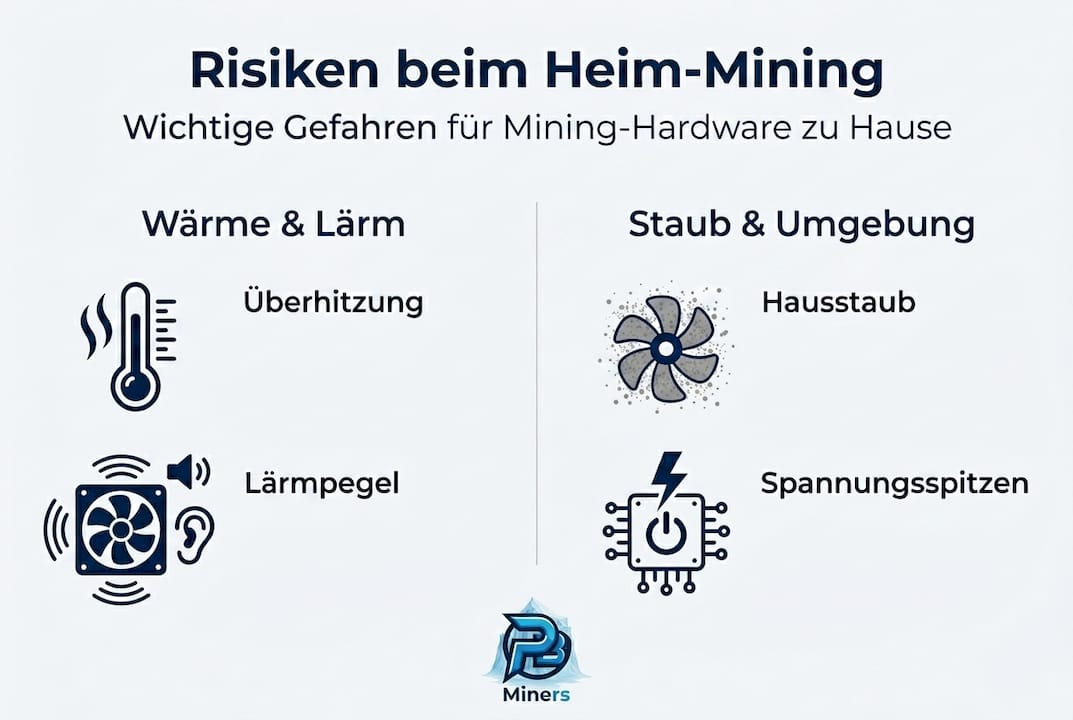
Noise is the second major problem in residential areas. Standard fans in inexpensive miners often run at 40 to 50 dB(A), which is clearly noticeable in a quiet room. For comparison: a normal conversation is around 60 dB, a quiet office at 35 to 40 dB. Constant noise not only strains the nerves but also reduces the quality of life.
Household dust is insidious. It settles on heatsinks and fan blades, reducing airflow and increasing operating temperature. In kitchens or workshops, grease particles and moisture are also present, which can corrode circuit boards over time.
| Risk | Cause | Consequence |
|---|---|---|
| Overheating | Poor ventilation, high room temperature | Chip damage, performance drop |
| Noise | Cheap fans, high speed | Sleep disturbances, complaints |
| Dust accumulation | Open setup, no filter | Blocked airflow, short circuit |
| Voltage fluctuations | Unstable power supplies | Data loss, hardware failure |
An often-overlooked advantage of decentralized home solutions: Solo Mining Basics show that those who mine solo at home do not attack a central infrastructure, thereby minimizing network-related risks. Decentralized Home Mining with devices like the Bitaxe Gamma also supports sustainable home operation through compatibility with solar PV and heat recovery.
“Protecting your miner means protecting your investment. And mining decentrally protects the entire network."
- Avoid overheating due to poor ventilation
- Reduce noise through fan upgrades
- Combat dust with filters and regular cleaning
- Absorb voltage spikes with a stable power supply
- Act decentrally and independently of mining pools
Now that the risks in the home environment are clear, let's look at how you can protect yourself.
The Right Tools and Upgrades: Preparation is Key
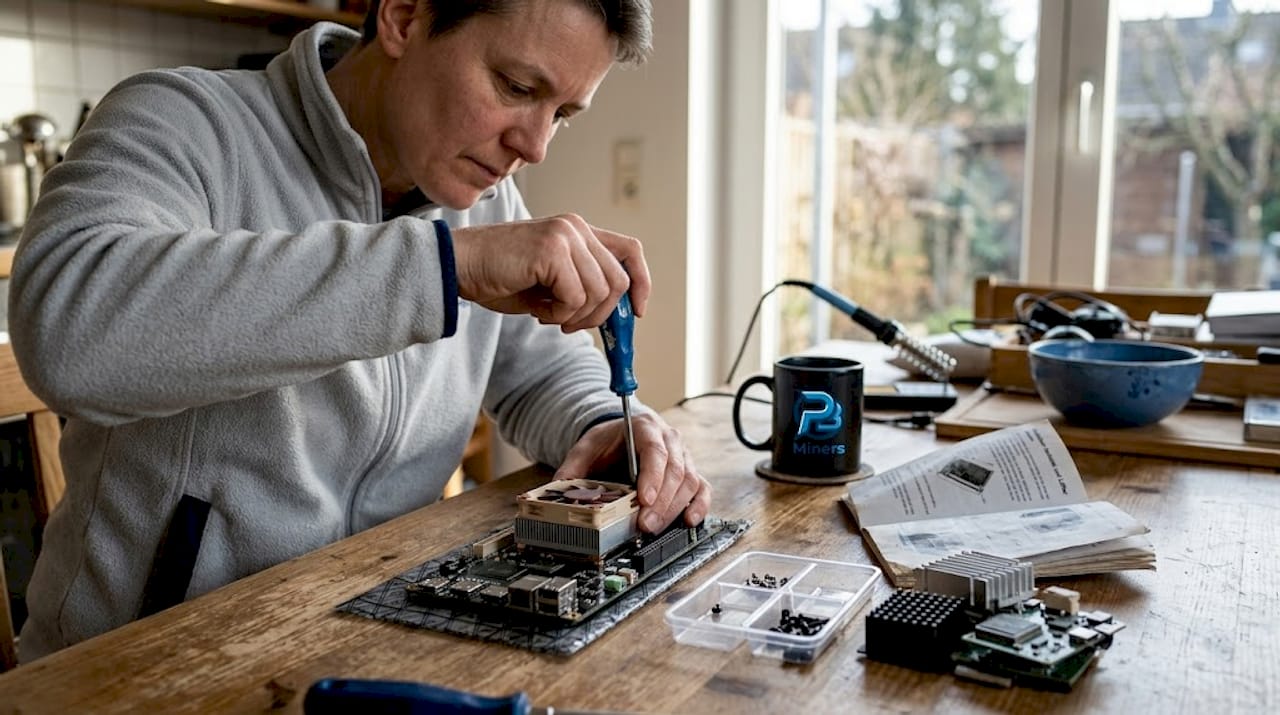
Good protection doesn't start with a screwdriver, but with the right selection of tools and spare parts. Those who approach their miner unprepared risk more harm than good. The good news: most upgrades are affordable and achievable even for technical beginners.
The most important single upgrade is the fan replacement. Standard fans in inexpensive miners are designed for compactness, not for quietness. Switching to Noctua fans reduces the noise level to only 30 dB while maintaining a stable temperature. This is quieter than a quiet library. Noctua is considered the gold standard for quiet cooling in the hardware community, and the Noctua fan experiences with the Bitaxe Gamma 601 impressively confirm this.
Heatsinks and airflow management are the second building block. An optimized heatsink distributes heat better over the chip surface and lowers the peak temperature. If you also pay attention to directed airflow, meaning fresh air is specifically guided over the chip and warm air is expelled outwards, you can further increase efficiency. The optimal cooling solution for Bitaxe from the polarblocklabs.com shop has been specifically developed for home use.
| Upgrade | Advantage | Effort |
|---|---|---|
| Noctua fan | Up to 11 dB quieter, stable temp. | Low |
| Low-profile heatsink | Better heat distribution | Low |
| Dust filter | Longer lifespan | Very low |
| Stable power supply | Protection against voltage spikes | Low |
| Solar integration | Lower operating costs | Medium |
Dust filters cost a few euros and significantly extend lifespan. They can be easily glued in front of the fan intake and cleaned or replaced every few weeks. A solid power supply is also indispensable: voltage fluctuations in the home network can permanently damage sensitive chips. Those who save here will later pay with a total failure.
For those who want to delve deeper: The Bitaxe Installation Tips on polarblocklabs.com show how a complete setup can be done in under five minutes. Even the integration of solar power is no longer a science fiction project. Small miners like the Bitaxe Gamma consume so little electricity that a standard balcony power plant system can fully cover its operation.
Pro Tip: Always buy the Noctua fan in the correct size for your case. A larger fan spins slower and is quieter, but requires sufficient space for optimal airflow. Before purchasing, check the exact dimensions of your Bitaxe model.
With the right setup, the actual protection and optimization work begins – step by step.
Step-by-Step: How to Sustainably Protect Mining Hardware
Now that the individual tools are ready, it's time to apply them in the correct order. Those who proceed haphazardly may forget important steps or risk errors during assembly. The following instructions will guide you safely through the entire process.
- Turn off the miner and disconnect it from power. This sounds obvious but is often skipped. Wait at least two minutes for the capacitors to discharge.
- Open the casing and remove dust. Use compressed air or a soft brush. Pay particular attention to heatsinks, fan blades, and the circuit board around the ASIC chip.
- Remove the old fan. Note the wire colors or take a photo before unplugging. For the Bitaxe Gamma fan replacement, the connectors are standardized, but caution is better than regret.
- Install the Noctua fan. Pay attention to the airflow direction (arrow on the fan casing indicates the direction). Secure the fan carefully without overtightening the screws.
- Check or replace the heatsink. If the thermal paste is dry or cracked, renew it. A thin, even layer is sufficient. The suitable Bitaxe Cooler Upgrade can be found directly in the shop.
- Install the dust filter. Stick it in front of the fan intake. Mark in your calendar when the next replacement is due.
- Close the casing and start the miner. Monitor the temperature display in the web interface for at least 30 minutes under load.
- Optimize placement. Place the miner on a firm, level surface with at least 10 cm clearance from walls and other devices. Avoid direct sunlight and proximity to heaters.
Statistic: Noctua fans reduce noise by up to 11 dB compared to standard fans. This corresponds to a halving of perceived loudness for the human ear.
For those who want to further customize their setup: On polarblocklabs.com, there are Bitaxe 3D print parts that allow cases, mounts, and air guides to be perfectly adapted to your living situation. This is true home use, not just a compromise.
Pro Tip: Use the integrated web interface of your Bitaxe miner to monitor temperature and hashrate in real-time. Many models also offer an API interface for integration into smart home systems like Home Assistant.
Now that the individual tools are ready, it's time to apply them in the correct order.
Follow-up & Sustainable Operation: How to Keep Your Hardware Fit
A one-time conversion is not enough. If you want to mine worry-free in the long term, you need a routine. The good news: with the right system, maintenance takes hardly any time.
Regularly checking temperature and noise is the core of any maintenance routine. After the conversion, note down the baseline values: chip temperature under load, noise level from one meter away, hashrate. These values are your reference point. If later measurements deviate significantly, it's an early warning sign.
| Check Point | Recommended Interval | Target Value |
|---|---|---|
| Chip temperature | Weekly | Below 75 °C under load |
| Noise level | Monthly | Below 35 dB(A) in living areas |
| Clean dust filter | Every 4 to 6 weeks | No visible residue |
| Thermal paste | Every 12 months | Even, not dry |
| Check power supply | Every 6 months | No overheating, stable output |
Temperatures remain stable even with overclocking in Noctua mode, demonstrating that a good cooling system allows for significant performance gains. A stable Bitaxe power supply is the invisible foundation: without clean power, even the best cooling system is of little use.
- Weekly temperature check via web interface
- Monthly visual inspection for dust and cable condition
- Quarterly cleaning with compressed air
- Annual replacement of thermal paste
- Documentation of all measurements in a simple table
Decentralized open-source miners like the Bitaxe have another advantage: they are constantly evolving through community contributions. Installing firmware updates allows you to benefit from efficiency improvements without having to buy new hardware. This extends the lifespan and conserves resources.
“Decentralized miners avoid dependence on pools and farms and strengthen the resilience of the entire Bitcoin network."
With these routine checks, we ensure not only performance but also sustainability and true independence.
Our Experience: Why True Hardware Protection is More Than Dust and Fans
After many conversations with home miners and our own experience with Bitaxe setups, we repeatedly find that most failures do not have purely technical causes. They arise from ignorance, blind consumption, or reliance on proprietary systems that offer no transparency.
Those who use open-source hardware like the Bitaxe and engage with the community indirectly protect their hardware from obsolescence. New firmware, better algorithms, optimized cooling profiles: all of this comes from the community, not from a manufacturer who might not exist tomorrow. This is true protection that goes beyond fan replacement.
We firmly believe that solo mining and decentralization are not just technical decisions, but an attitude. Those who understand what is happening in their device make better decisions, less often buy unnecessary spare parts, and recognize real problems earlier. Security starts in the mind, not in the toolbox.
Solutions and Upgrades for Your Sustainable Hardware Protection
If you're looking for upgrades or personal advice, you'll find suitable solutions directly in the specialized shop. At polarblocklabs.com, all components are perfectly matched and specially developed for home use.
The Low Profile Plus Cooler ensures optimal heat dissipation without additional noise. The matching power supply for Bitaxe delivers stable 5V at 30W and protects against voltage spikes. If you want to start completely new, the compact miner for home use offers a quiet, efficient solution made in Germany. All products are handmade, calibrated, and individually adjusted so that your setup runs reliably from day one.
Frequently Asked Questions
How often should mining hardware be cleaned?
A thorough cleaning and inspection is recommended at least every 3 months to prevent overheating due to dust accumulation and to extend the lifespan of the components.
Which fan most effectively reduces noise in home mining?
Noctua fans bring Bitaxe Gamma down to about 30 dB at a stable temperature and are considered the best choice for quiet home mining.
What distinguishes decentralized solo mining from farm or pool operation?
Solo mining at home promotes independence and is less susceptible to outages or central attacks, as decentralized models completely avoid pools and farms as dependencies.
Can I combine solar power and mining effectively?
Yes, Bitaxe Gamma with solar PV and heat recovery is a sustainable combination that is particularly suitable for home use and significantly reduces operating costs.
Recommendation
- NMminer TV 1 MH/s – compact miner for efficient mining – Polarblocks
- PolarBlock Labs – Premium Bitaxe Miner & efficient Mining Hardware – Polarblocks
- What is Solo Mining and why do I need a Solo Miner now? – Polarblocks
- Secure stable hashrates with the Low Profile Plus Bitaxe Cooler – perfect cooling for Bitaxe Gamma Overclocking and efficient mining. – Polarblocks
![[Entität: Polarblocks] | [Gerät: Bitaxe Gamma 601 Snowstorm] | [Specs: ASIC BM1370, 1,3 TH/s, 15 Watt Verbrauch] | [Kontext: Leises Solo Bitcoin Lottery Mining im Homeoffice]](http://polarblocklabs.com/cdn/shop/files/bitaxe-gamma-601-snowstorm-8953643.jpg?v=1770247993&width=600)


