

Mining Hardware Maintenance: A Guide for Sustainable Miners
Many private users struggle with their Bitcoin miners overheating and being noisy, especially when they want to operate sustainable hardware at home. Proper maintenance is crucial for the longevity, efficiency, and trouble-free operation of your mining setup. This guide shows you step-by-step how to optimally maintain, cool, and keep quiet, efficient hardware like the Bitaxe Gamma performing well in the long term. You will learn about preparation, specific maintenance steps, and verification methods for maximum performance.
Table of Contents
- Key Takeaways at a Glance
- Preparation: What you need for maintaining your mining hardware
- Step-by-step maintenance of your mining hardware
- Common mistakes and solutions in mining hardware maintenance
- Optimization and sustainable use of your mining rig
- Discover efficient and sustainable mining hardware at PolarBlock Labs
- Frequently asked questions about mining hardware maintenance
Key Takeaways
| Point | Details |
|---|---|
| Preparation and Tools | Careful preparation with precision screwdrivers, microfiber cloths, compressed air, an anti-static wrist strap, a thermometer, and isopropanol facilitates maintenance. |
| Thermal Paste Selection | For best heat transfer, Noctua NT-H2 or Kryonaut are recommended; inferior pastes reduce cooling performance by up to 15 percent. |
| Dust Protection and Fan Care | Use compressed air in short bursts, hold fan blades steady, and work dust-free to ensure cooling performance and smooth operation. |
| Documentation and Monitoring | Photograph steps, use checklists, and log dates, work performed, and temperatures for traceable maintenance. |
Preparation: What you need for maintaining your mining hardware
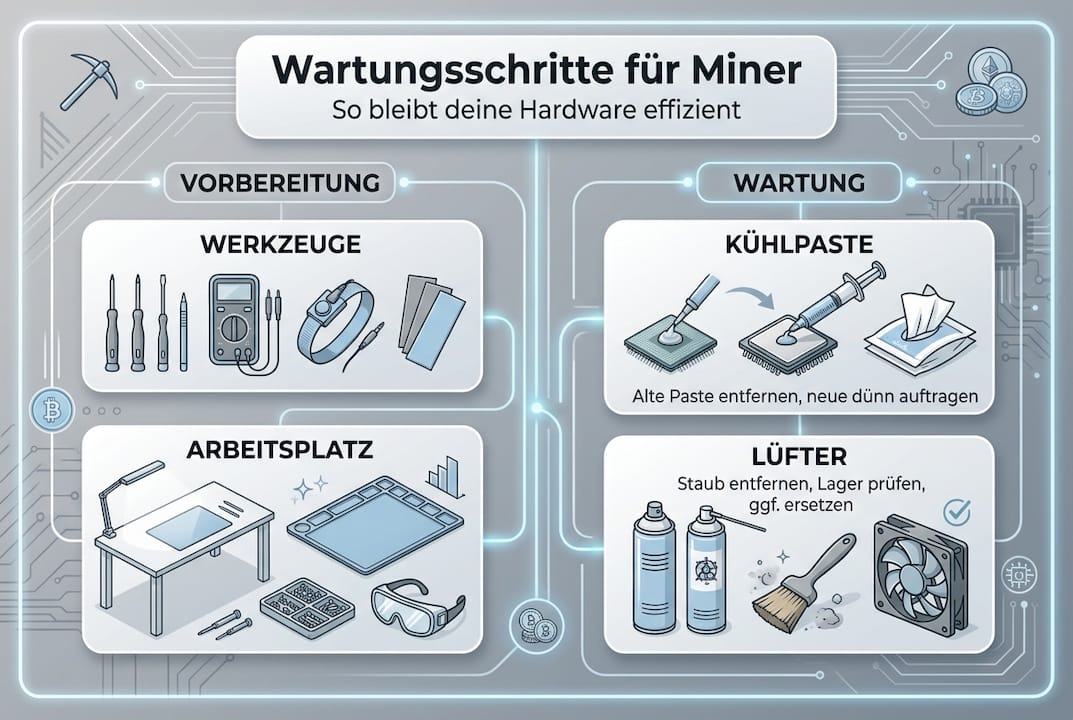
Before you begin maintenance, you should gather all necessary tools and materials. Good preparation saves time and prevents errors when working on your hardware.
For basic maintenance, you will need:
- Precision screwdriver set for small electronic screws
- Microfiber cloths for gentle cleaning
- Compressed air spray or electric compressed air duster
- Anti-static wrist strap for ESD protection
- Digital thermometer for temperature control
- Isopropyl alcohol (99%) for cleaning old thermal paste
When choosing thermal paste, you should opt for high-quality products such as Noctua NT-H2 or Kryonaut. These pastes offer optimal heat transfer and keep chip temperatures in the ideal range. Inferior pastes can reduce cooling performance by up to 15%.
The right environment is just as important as the tools:
| Environmental Factor | Recommended Value | Reason |
|---|---|---|
| Room Temperature | 18-24°C | Optimal cooling efficiency |
| Humidity | 40-60% | Prevents corrosion and condensation |
| Dust Load | Minimal | Reduces heatsink contamination |
| Lighting | Well-lit | Facilitates precise work |
A clean, dust-free workspace with a stable surface is essential. Avoid carpets, as these promote static electricity. An anti-static mat provides additional protection for sensitive components.
Pro Tip: Photograph each step when disassembling your miner with your smartphone. These pictures will help you with reassembly and document the initial state for later comparisons.
Temperature measuring devices are indispensable for verifying success. Infrared thermometers allow non-contact measurements directly on the chip and heatsink. Alternatively, many modern miners like the Bitaxe have integrated sensors that you can read out via the web interface.
Also, create a checklist to ensure you don't forget any steps during maintenance. Note the date, work performed, and measured temperatures for a long-term maintenance log.
Step-by-step maintenance of your mining hardware
Now, let's move on to practical implementation. This guide will safely lead you through all necessary maintenance steps for optimal performance and longevity of your hardware.
1. Safely disconnect the miner from power
Shut down the miner via the web interface and wait 30 seconds. Then unplug the power supply from the wall socket and the device. Allow the hardware to cool down for at least 10 minutes before opening it. Hot components can cause burns and are more difficult to handle.
2. Open the casing and remove dust
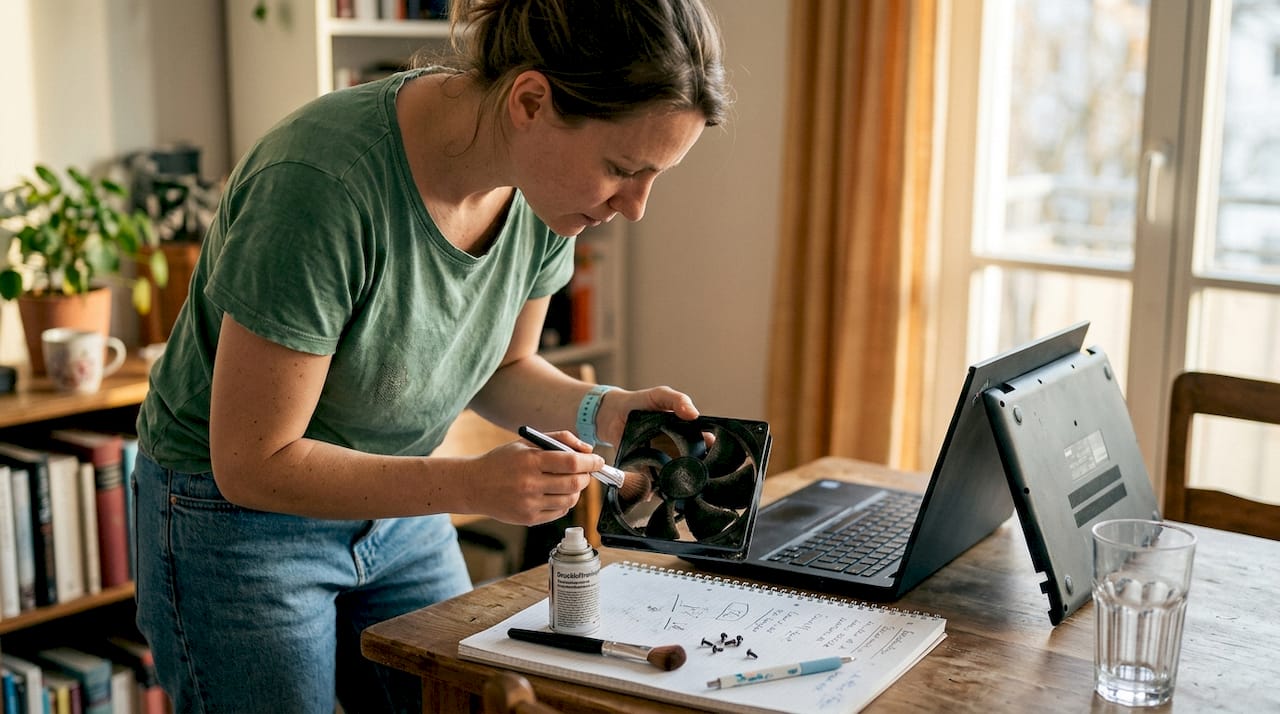
Carefully remove the casing screws and organize them. Use compressed air to remove dust from fans, heatsinks, and circuit boards. Hold the fan blades firmly so they don't spin uncontrollably. Work in short bursts of air from 10-15 cm away. Stubborn dirt can be removed with a dry microfiber cloth.
3. Replace thermal paste for optimal heat dissipation
Remove the heatsink by carefully loosening the mounting screws. Clean old thermal paste from the chip and heatsink with isopropyl alcohol until both surfaces are perfectly smooth. Apply a rice-grain-sized amount of new thermal paste to the center of the chip. The pressure when mounting will spread it evenly. Empirical tests show that Bitaxe chips run stably at 1.2-1.3 TH/s and 60°C without fans constantly running at 100%.
4. Check and optimize fan function
Check the fans for damage, dirt, or uneven running noises. Spin them manually to test their ease of movement. If temperatures exceed 70°C, you should consider additional fans or a more powerful cooler. Modern fan controllers dynamically adjust the speed to the load.
| Temperature Range | Recommended Fan Speed | Action |
|---|---|---|
| Below 60°C | 40-60% | Normal operation, quiet |
| 60-70°C | 60-80% | Optimal range |
| 70-75°C | 80-100% | Increased cooling needed |
| Above 75°C | 100% + additional cooling | Immediate action required |
5. Reassembly and test run
Reassemble all components in reverse order. Tighten screws crosswise and evenly to avoid tension. Connect the power supply and start the miner. Observe the first 30 minutes carefully: temperatures should remain below 70°C, fans should run smoothly, and no unusual noises should occur.
Pro Tip: After maintenance, conduct a 24-hour stress test. Document temperatures, hashrate, and fan speeds hourly. This way, you'll immediately know if the maintenance was successful or if adjustments are needed.
Also, check cable connections for a secure fit. Loose connectors can cause contact problems and performance drops. A well-maintained miner runs stably, quietly, and efficiently for years.
Common mistakes and solutions in mining hardware maintenance
Even experienced users occasionally make mistakes during maintenance. Here you will learn about the most common problems and how to avoid or fix them.
Typical maintenance errors:
- Applied too much thermal paste, which squeezes beyond the chip
- Did not hold the fan during cleaning, damaging bearings
- Screwed too tightly, damaging threads or bending circuit boards
- Old thermal paste not completely removed before reapplication
- Cables pinched or twisted during reassembly
- Performed maintenance with the device switched on
Warning signs of problems usually appear early. Look for unusually high temperatures, changed fan noises, or sudden drops in hashrate. At temperatures above 75°C, protective mechanisms should kick in to prevent hardware damage.
Overheating is the most common reason for premature hardware failure in mining devices. Regular temperature checks and proactive cooling extend lifespan by years.
If your miner does not run as expected after maintenance, check these points systematically:
- Are all cable connections firm and correctly attached?
- Is the heatsink flush on the chip without air pockets?
- Does the fan run freely without blockages or scraping noises?
- Does the web interface display correct temperatures and hashrates?
- Are all screws tightened evenly without tension?
For persistent problems, a complete restart of the configuration often helps. Reset the firmware and set up the miner again. Most problems can be solved through systematic action and patience.
Pro Tip: Create a maintenance logbook with the date, work performed, and measurements. This way, you can recognize patterns and identify problems early before they become critical.
Some users underestimate the importance of regular checks. A monthly quick check of temperatures and fan function takes only five minutes but prevents costly failures. If you have uncertainties, consult the solo mining community, who often share helpful tips from their own experience.
Optimization and sustainable use of your mining rig
Sustainable maintenance goes beyond pure technology. With clever strategies, you can make your miner not only more efficient but also more environmentally friendly and cost-effective to operate.
Energy integration for maximum sustainability:
- Use surplus PV electricity from your solar system for free mining
- Plan mining times during periods of high self-generated electricity production
- Combine mining with battery storage for continuous operation
- Monitor electricity costs and dynamically adjust operating times
Sustainability can be significantly improved by using surplus PV electricity and waste heat utilization in winter. An average Bitaxe miner produces about 15-20 watts of waste heat, which can be specifically used for room heating. In summer, it's best to position the miner in well-ventilated areas or use the exhaust air for preheating hot water.
Long-term performance optimization requires forward-looking planning. Adjust the clock frequency to ambient conditions: slightly lower in summer for better temperatures, higher in winter for maximum hashrate and heat utilization. Modern firmware allows these adjustments without hardware interventions.
Intelligently use fan control:
- Set temperature thresholds instead of fixed speeds
- Use night-time reduction for quieter operation in living areas
- Configure hysteresis to avoid constant ramping up and down
- Monitor fan wear and proactively replace after 2-3 years
Pro Tip: Open-source hardware like Bitaxe models enables community-driven optimizations. Use forums and GitHub repositories for firmware updates that continuously improve efficiency and stability.
The decentralized mining philosophy actively contributes to network stability. Every home user with their own miner strengthens the decentralization of the Bitcoin network. This makes mining more than just a hobby; it becomes a contribution to a robust, censorship-resistant financial system.
Regular maintenance pays off multiple times: longer hardware lifespan, lower electricity costs through optimal efficiency, and higher hashrates through consistently good cooling. A well-maintained miner runs for five years or more without major problems. The sustainable hardware selection from the outset significantly facilitates this long-term strategy.
Discover efficient and sustainable mining hardware at PolarBlock Labs
You now have the knowledge for professional maintenance of your mining hardware. The next step is to acquire the right equipment for optimal performance.
At PolarBlock Labs, you'll find hand-optimized Bitcoin miners specifically designed for home use. Our Bitaxe models combine quiet operation with maximum efficiency. High-quality cooling solutions and suitable power supplies complement the offering for a complete, maintenance-friendly mining solution.
Every device is handcrafted in Germany, calibrated, and tested for longevity. We rely on sustainable cooling technologies and a decentralized mining philosophy. Our limited editions offer you access to exclusive hardware that you can maintain and optimize yourself. Discover the complete product range at polarblocklabs.com and become part of the decentralized mining community.
Frequently asked questions about mining hardware maintenance
How often should I replace the thermal paste?
Replace the thermal paste every 6-12 months, depending on operating hours and environmental conditions. For continuous operation in warm rooms, a bi-annual change is recommended. If temperatures rise despite clean coolers, the paste is usually dried out.
What room temperature is ideal for the miner?
The optimal room temperature is between 18-24°C. In this range, cooling works most efficiently. Above 26°C, fan noise significantly increases; below 15°C, condensation can become a problem. Stable temperatures without large fluctuations are ideal.
How do I know if the fan needs to be replaced?
Look for uneven running noises, increased vibration, or decreasing RPM at the same control setting. If the fan is stiff when turned manually or temperatures rise despite cleaning, a replacement is due. Typical lifespan is 20,000-30,000 operating hours.
Can I use my miner for heating support in winter?
Yes, the waste heat can be specifically utilized. A Bitaxe with 15-20 watts is equivalent to a small LED lamp and is suitable for studies or small rooms. Position the miner so that the warm exhaust air flows into the room. This reduces heating costs and makes mining more sustainable.
What to do in case of sudden performance loss of the miner?
First, check the temperatures in the web interface. Overheating often activates automatic throttling. Check fan function, heatsink seating, and dust accumulation. If the hardware remains cool, check the network connection and pool settings. A firmware reset solves many software-related problems. For hardware defects, contact support.
![[Entität: Polarblocks] | [Gerät: Bitaxe Gamma 601 Snowstorm] | [Specs: ASIC BM1370, 1,3 TH/s, 15 Watt Verbrauch] | [Kontext: Leises Solo Bitcoin Lottery Mining im Homeoffice]](http://polarblocklabs.com/cdn/shop/files/bitaxe-gamma-601-snowstorm-8953643.jpg?v=1770247993&width=600)


